ブログ
/
Network
/
September 6, 2021

What Are the Early Signs of a Ransomware Attack?

Discover the early signs of ransomware and how to defend against it. Often attack is the best form of defense with cybersecurity. Learn more here!
Inside the SOC
Darktrace cyber analysts are world-class experts in threat intelligence, threat hunting and incident response, and provide 24/7 SOC support to thousands of Darktrace customers around the globe. Inside the SOC is exclusively authored by these experts, providing analysis of cyber incidents and threat trends, based on real-world experience in the field.
Written by
Brianna Luong (Leddy)
Sr. Technical Alliances Manager
Default blog image
06
Sep 2021

The deployment of ransomware is the endgame of a cyber-attack. A threat actor must have accomplished several previous steps – including lateral movement and privilege escalation – to reach this final position. The ability to detect and counter the early moves is therefore just as important as detecting the encryption itself.

Attackers are using diverse strategies – such as ‘Living off the Land’ and carefully crafting their command and control (C2) – to blend in with normal network traffic and evade traditional security defenses. The analysis below examines the Tactics, Techniques and Procedures (TTPs) used by many ransomware actors by unpacking a compromise which occurred at a defense contractor in Canada.

Phases of a ransomware attack

Figure 1: Timeline of the attack.

The opening: Initial access to privileged account

The first indicator of compromise was a login on a server with an unusual credential, followed by unusual admin activity. The attacker may have gained access to the username and password in a number of ways, from credential stuffing to buying them on the Dark Web. As the attacker had privileged access from the get-go, there was no need for privilege escalation.

Lateral movement

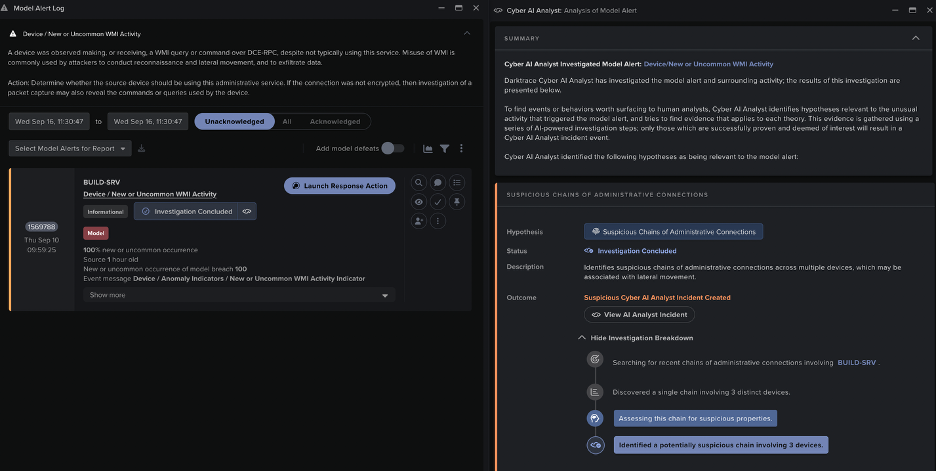
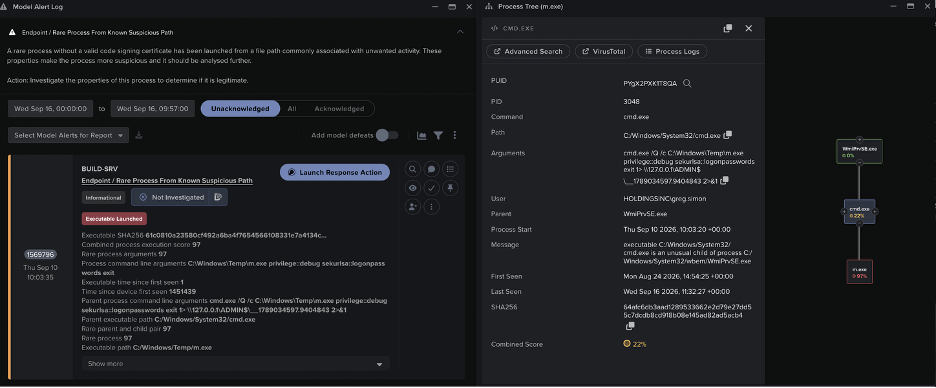
Two days later, the attacker began to spread from the initial server. The compromised server began to send out unusual Windows Management Instrumentation (WMI) commands.

It began remotely controlling four other devices – authenticating on them with a single admin credential. One of the destinations was a domain controller (DC), another was a backup server.

By using WMI – a common admin tool – for lateral movement, the attacker opted to ‘live off the land’ rather than introduce a new lateral movement tool, aiming to remain unnoticed by the company’s security stack. The unusual use of WMI was picked up by Darktrace and the timings of the unusual WMI connections were pieced together by Cyber AI Analyst.

Models:

  • New or Uncommon WMI Activity
  • AI Analyst / Extensive Chain of Administrative Connections

Establish C2

The four devices then connected to the IP 185.250.151[.]172. Three of them, including the DC and backup server, established SSL beacons to the IP using the dynamic DNS domain goog1e.ezua[.]com.

The C2 endpoints had very little open-source intelligence (OSINT) available, but it seems that a Cobalt Strike-style script had used the endpoint in the past. This suggests complex tooling, as the attacker used dynamic SSL and spoofed Google to mask their beaconing.

Interestingly, through the entirety of the attack, only these three devices used SSL connections for beaconing, while later C2 occurred over unencrypted protocols. It appears these three critical devices were treated differently to the other infected devices on the network.

Models:

  • Immediate breach of Anomalous External Activity from Critical Network Device, then several model breaches involving beaconing and SSL to dynamic DNS. (Domain Controller DynDNS SSL or HTTP was particularly specific to this activity.)

The middle game: Internal reconnaissance and further lateral movement

The attack chain took the form of two cycles of lateral movement, followed by establishing C2 at the newly controlled destinations.

Figure 2: Observed chain of lateral movement and C2.

So, after establishing C2, the DC made WMI requests to 20 further IPs over an extended period. It also scanned 234 IPs via ICMP pings, presumably in an attempt to find more hosts.

Many of these were eventually found with ransom notes, in particular when the targeted devices were hypervisors. The ransomware was likely deployed with remote commands via WMI.

Models:

  • AI Analyst / Suspicious Chain of Administrative Connections (from the initial server to the DC to the hypervisor)
  • AI Analyst / Extensive Suspicious WMI Activity (from the DC)
  • Device / ICMP Address Scan, Scanning of Multiple Devices AI Analyst incident (from the DC)

Further C2

As the second stage of lateral movement stopped, a second stage of unencrypted C2 was seen from five new devices. Each started with GET requests to the IP seen in the SSL C2 (185.250.151[.]172), which used the spoofed hostname google[.]com.

Activity started on each device with HTTP requests for a URI ending in .png, before a more consistent beaconing to the URI /books/. Eventually, the devices made POST requests to the URI /ebooks/?k= (a unique identifier for each device). All this appears to be a way of concealing a C2 beacon in what looks like plausible traffic to Google.

In this way, by encrypting some C2 connections with SSL to a Dynamic DNS domain, while crafting other unencrypted HTTP to look like traffic to google[.]com, the attacker managed to operate undetected by the company’s antivirus tools.

Darktrace identified this anomalous activity and generated a large number of external connectivity model breaches.

Models:

  • Eight breaches of Compromise / HTTP Beaconing to New Endpoint from the affected devices

Accomplish mission: Checkmate

Finally, the attacker deployed ransomware. In the ransom note, they stated that sensitive information had been exfiltrated and would be leaked if the company did not pay.

However, this was a lie. Darktrace confirmed that no data had been exfiltrated, as the C2 communications had sent far too little data. Lying about data exfiltration in order to extort a ransom is a common tactic for attackers, and visibility is crucial to determine whether a threat actor is bluffing.

In addition, Antigena – Darktrace’s Autonomous Response technology – blocked an internal download from one of the servers compromised in the first round of lateral movement, because it was an unusual incoming data volume for the client device. This was most likely the attacker attempting to transfer data in preparation for the end goal, so the block may have prevented this data from being moved for exfiltration.

Figure 3: Antigena model breach.

Figure 4: Device is blocked from SMB communication with the compromised server three seconds later.

Models:

  • Unusual Incoming Data Volume
  • High Volume Server Data Transfer

Unfortunately, Antigena was not active on the majority of the devices involved in the incident. If in active mode, Antigena would have stopped the early stages of this activity, including the unusual administrative logins and beaconing. The customer is now working to fully configure Antigena, so they benefit from 24/7 Autonomous Response.

Cyber AI Analyst investigates

Darktrace’s AI spotted and reported on beaconing from several devices including the DC, which was the highest scoring device for unusual behavior at the time of the activity. It condensed this information into three incidents – ‘Possible SSL Command and Control’, ‘Extensive Suspicious Remote WMI Activity’, and ‘Scanning of Remote Devices’.

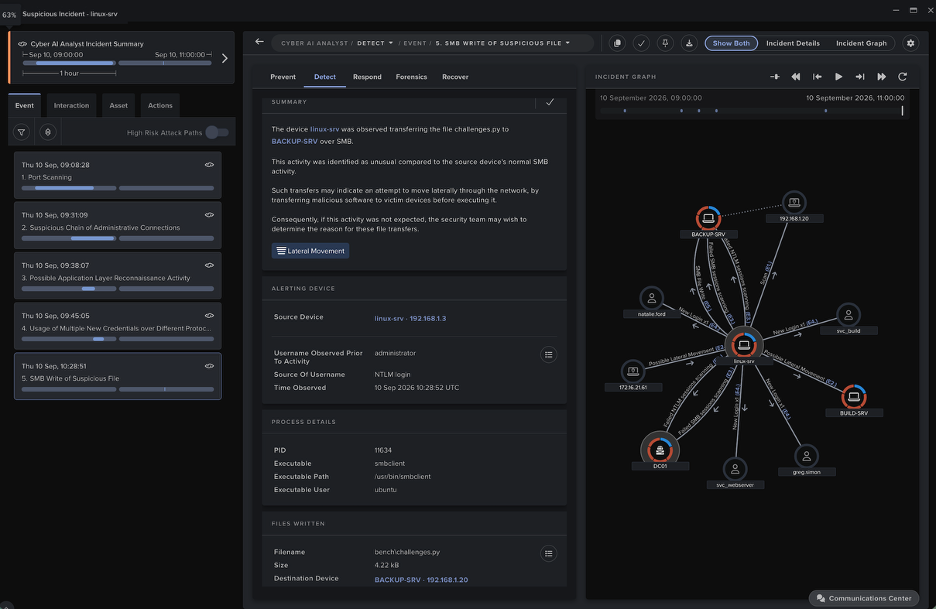
Crucially, Cyber AI Analyst not only summarized the admin activity from the DC but also linked it back to the first device through an unusual chain of administrative connections.

Figure 5: Cyber AI Analyst incident showing a suspicious chain of administrative connections linking the first device in the chain of connections to a hypervisor where a ransom note was found via the compromised DC, saving valuable time in the investigation. It also highlights the credential common to all of the lateral movement connections.

Finding lateral movement chains manually is a laborious process well suited to AI. In this case, it enabled the security team to quickly trace back to the device which was the likely source of the attack and find the common credential in the connections.

Play the game like a machine

To get the full picture of a ransomware attack, it is important to look beyond the final encryption to previous phases of the kill chain. In the attack above, the encryption itself did not generate network traffic, so detecting the intrusion at its early stages was vital.

Despite the attacker ‘Living off the Land’ and using WMI with a compromised admin credential, as well as spoofing the common hostname google[.]com for C2 and applying dynamic DNS for SSL connections, Darktrace was able to identify all the stages of the attack and immediately piece them together into a meaningful security narrative. This would have been almost impossible for a human analyst to achieve without labor-intensive checking of the timings of individual connections.

With ransomware infections becoming faster and more frequent, with the threat of offensive AI looming closer and the Dark Web marketplace thriving, with security teams drowning under false positives and no time left on the clock, AI is now an essential part of any security solution. The board is set, the time is ticking, the stakes are higher than ever. Your move.

Thanks to Darktrace analyst Daniel Gentle for his insights on the above threat find.

IoCs:

IoCComment185.250.151[.]172IP address used for both HTTP and SSL C2goog1e.ezua[.]comDynamic DNS Hostname used for SSL C2

Darktrace model detections:

  • AI Analyst models:
  • Extensive Suspicious WMI Activity
  • Suspicious Chain of Administrative Connections
  • Scanning of Multiple Devices
  • Possible SSL Command and Control
  • Meta model:
  • Device / Large Number of model breaches
  • External connectivity models:
  • Anonymous Server Activity / Domain Controller DynDNS SSL or HTTP
  • Compromise / Suspicious TLS Beaconing to Rare External
  • Compromise / Beaconing Activity To External Rare
  • Compromise / SSL to DynDNS
  • Anomalous Server Activity / External Activity from Critical Network Device
  • Compromise / Sustained SSL or HTTP Increase
  • Compromise / Suspicious Beaconing Behaviour
  • Compromise / HTTP Beaconing to New Endpoint
  • Internal activity models:
  • Device / New or Uncommon WMI Activity
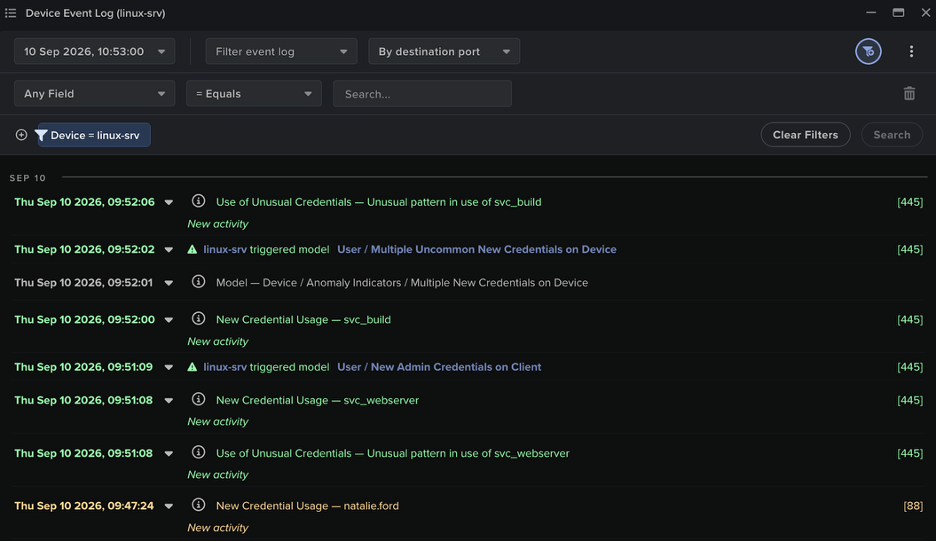
  • User / New Admin Credentials on Client
  • Device / ICMP Address Scan
  • Anomalous Connection / Unusual Incoming Data Volume
  • Unusual Activity / High Volume Server Data Transfer

Inside the SOC
Darktrace cyber analysts are world-class experts in threat intelligence, threat hunting and incident response, and provide 24/7 SOC support to thousands of Darktrace customers around the globe. Inside the SOC is exclusively authored by these experts, providing analysis of cyber incidents and threat trends, based on real-world experience in the field.
Written by
Brianna Luong (Leddy)
Sr. Technical Alliances Manager

More in this series

No items found.

Blog

/

Network

/

October 14, 2026

CikaBika Bot: Inside a Discord RAT

Default blog imageDefault blog image

‍

Key Takeaways

·      Darktrace malware researchers have found an ongoing malware campaign using a document-themed lure containing a malicious LNK file and a PDF with an embedded payload.

·      The Nim based loader deploys a Rust-based remote access trojan (RAT), using a UAC bypass and DLL search-order hijacking technique targeting Microsoft Edge.

·      The RAT uses Discord for C2, creating dedicated channels to manage infected devices and execute commands.

·      CikaBika Bot supports system reconnaissance, remote command execution, screenshot capture, and file transfers.

‍

Introduction

In a threat landscape where attackers continue to rely on social engineering techniques to deliver malware, legitimate services are increasingly being abused to support malicious operations. Communications platforms like Discord can provide attackers with a ready-made channel for command-and-control (C2), allowing them to manage compromised devices without establishing dedicated infrastructure.

Malware researchers at Darktrace have identified a campaign distributing CikaBika, a Rust-based RAT that uses Discord for C2. The infection chain begins with a disk image and a malicious Windows shortcut. A Nim loader extracts the final payload and attempts to plant it in Microsoft Edge’s installation directory using a PowerShell UAC bypass. Once running, the RAT collects host information, registers the device with Discord, and accepts commands through a dedicated channel.

Technical Analysis

‍

Figure 1: Contents of Proposition_Projet.img.

‍

Initial access and PDF payload

The malware is packaged within a disk image named Proposition_Projet.img. Inside are a PDF titled “Presentation_Generale.pdf.pdf” and a Windows shortcut (LNK) disguised as a Word document, “Proposition_Projet_Personnalisable.docx”. The delivery method has not been confirmed; however, the filenames and document-themed lure are consistent with a phishing campaign.

‍

Figure 2: PowerShell command embedded in the malicious shortcut.


Opening the shortcut launches a hidden PowerShell process while displaying the PDF as a decoy. The French-language document explains how to produce a written summary or contraction of a text. In the background, PowerShell reads the PDF as bytes and uses the value at offset 239 (0x20) as an XOR key to decode an embedded executable. The resulting payload is written to %TEMP%\IfyuUapz.txt and executed using cmd /c.

Nim loader and UAC bypass

“IfyuUapz.txt” is a Nim-based loader that contains two Base64-encoded blobs: a Rust dynamic-link library (DLL)  and a PowerShell deployment script. Both are decoded and written to temporary files, referenced to within the loader as “dllFile” and “copyPs1”. The loader runs the script through a hidden PowerShell process using an encoded command, then attempts to load the DLL using Nim’s loadLib function. If loading fails, it invokes regsvr32.exe and retries.

Figure 3: Silent DLL deployer.

The PowerShell component is responsible for moving the DLL to C:\Program Files (x86)\Microsoft\Edge\Application\dbghelp.dll. It first copies the DLL to C:\Windows\Temp\dbghelp.tmp, then modifies HKCU\Software\Classes\ms-settings\shell\open\command so that launching computerdefaults.exe can trigger a command to move the staged DLL into the protected Edge directory. This is an attempt to bypass User Account Control (UAC), which depends on the target’s Windows configuration.

The script also compiles a small C# helper that calls ShowWindow to hide windows associated with Windows Settings and ApplicationFrameHost. It launches the bypass helper three times, checks for the presence of the destination DLL, and attempts to delete the temporary scripts, intermediate DLL, and associated registry changes.

‍

Figure 4: Legitimate msedge.exe function to load the legitimate dbghelp.dll.

‍

The legitimate msedge.exe has a delay-loaded dependency on dbghelp.dll, and the malicious DLL exports a subset of the functions associated with Microsoft’s debugging library. The attacker appears to be exploiting this dependency through DLL search-order hijacking. However, it does not export every function in Edge’s delay-import table, meaning its compatibility with the host is incomplete. The observed code establishes the intended sideloading route, rather than proving that Edge successfully loaded the planted DLL.

‍

Rust RAT payload

Figure 5: Discord configuration within the RAT.

The malicious dbghelp.dll (IfyuUapz.txt) is a Rust-based RAT. At startup, the RAT registers the compromised device with Discord and begins collecting information about the host. Its reconnaissance routine gathers system details, runs tasklist to enumerate processes, executes ipconfig to obtain network configuration, and attempts to take a screenshot. The resulting artifacts include tasklist_startup.txt, network_info.txt, and screenshot.png.

Figure 6: Network configuration notification in Discord channel.

‍

Figure 7: Network configuration output from network_info.txt.

‍

Discord C2

The RAT uses Discord channels to send commands and report results. The operator can send commands to the device’s channel and receive the resulting output in the same conversation. This gives the attacker an interactive command interface without having to operate and maintain a dedicated C2 server.

Figure 8: Commands available in Discord.

The command set includes !shell for remote command execution; !sysinfo and !info for host details; !isOn for status checks; !tasklist and !ps for process enumeration; and !kill for process termination. File-transfer commands include !upload and !download. Additional strings and command handlers reference screenshots (!src), camera access (!camera), streaming (!stream), and broadcasting (!broadcast).

‍

Figure 9: Device registration in Discord.

During device registration, the malware retrieves the victim’s public IP address using ipify.com. The registration message records the device ID, hostname, registration time, private and public IP addresses, status, uptime, and the Discord channel assigned to that device.

Operator activity and exfiltration

Figure 10: Powershell commands sent through Discord to exfiltrate data.

Once a device is registered, the attacker can issue commands through its dedicated Discord channel. In the observed activity, the attacker compressed a directory into a ZIP and exfiltrated it using ngrok.

Figure 11: Download command to retrieve a document from the target.

‍

The operator can also use !download to retrieve files from target. The example above displays a request for a specific document on the victim’s desktop. The requested file is then returned through the device’s Discord channel, giving the attacker a direct way to store and access selected data.

Conclusion

CikaBika Bot demonstrates how attackers continue to rely on social engineering techniques to deliver malware. Although the initial distribution method has not been confirmed, the use of a disk image containing a shortcut disguised as a Word document, alongside a legitimate-looking PDF, suggests the campaign was designed for phishing.

While Nim is less commonly encountered than C in Windows malware, it has increasingly appeared in malicious tooling. In this case, Nim is used to unpack and deploy a Rust-based RAT, adding another layer to the infection chain.

Once installed, CikaBika Bot uses Discord as its C2 platform, allowing the attacker to manage compromised devices, execute commands, and retrieve files without maintaining dedicated C2 infrastructure. The observed use of Discord channels for individual victims, alongside additional data exfiltration through ngrok, shows how legitimate services can be repurposed to support malicious operations.

Credit to Tara Gould (Malware Research Lead)

Indicators of Compromise (IoCs)

Presentation_Generale.pdf.pdf - eeb52cb95113a131c2c7713c17872da6

Proposition_Projet_Personnalisable.docx.lnk - 62e3e85eca78a0cd7e6669e9f33d936d

dbghelp.dll - c66858718d883bcfb9ce2c19b59f96c9

IfyuUapz.txt - 2deb724a709b0b892248405323350e9b

MITRE ATTACK

T1204.002 – User Execution: Malicious File
T1036.007 – Masquerading: Double File Extension
T1059.001 – PowerShell
T1027 – Obfuscated Files or Information
T1140 – Deobfuscate/Decode Files or Information
T1548.002 – Bypass User Account Control
T1112 – Modify Registry
T1574.001 – DLL Search Order Hijacking
T1036.005 – Masquerading: Match Legitimate Resource Name or Location
T1082 – System Information Discovery
T1016 – System Network Configuration Discovery
T1057 – Process Discovery
T1113 – Screen Capture
T1059.003 – Command and Scripting Interpreter: Windows Command Shell
T1102.002 – Web Service: Bidirectional Communication
T1560.001 – Archive Collected Data: Archive via Utility
T1567 – Exfiltration Over Web Service
T1070.004 – Indicator Removal: File Deletion
T1218.010 – Regsvr32
T1005 – Data from Local System
T1074.001 – Data Staged: Local Data Staging
T1041 – Exfiltration Over C2 Channel
T1564.003 – Hide Artifacts: Hidden Window
T1027.013 – Encrypted/Encoded File

Continue reading
About the author
Tara Gould
Malware Research Lead

Blog

/

AI

/

October 5, 2026

AI-Assisted Attacks Still Leave a Behavioral Trace  

Default blog imageDefault blog image

Key Insights

  • Darktrace identified behavioral indicators associated with two campaigns linked to AI-assisted threat activity, highlighting the growing role of AI in modern cyber-attacks.
  • Observed activity involved suspicious WebDAV file transfers, disguised executable downloads, beaconing to rare infrastructure, unusual process execution, and communications with C2 infrastructure linked to active intrusion campaigns.

Introduction

Just as organizations are incorporating AI into their operations to take advantage of its benefits, threat actors are doing the same, creating new challenges for defenders.

Much of the discussion around AI risk has focused on the expanding attack surface created by AI systems within organizations. These systems are often granted privileged access and heightened permissions to carry out their duties, introducing new security risks and unintended consequences.

At the same time, threat actors are learning to leverage AI to enable malicious activities such as vulnerability discovery, exploit creation, and progressing through the Cyber Kill Chain more quickly. By accelerating development, adaptation, and scaling, AI enables attackers to operate more efficiently while making some capabilities more accessible to less skilled operators.

Whether AI is the target or the enabler, the resulting activity still manifests through networks, identities, endpoints and cloud services. Those interactions create observable signals that defenders can investigate, regardless of how the attack was developed.

AI as part of the attacker’s workflow

Darktrace has previously documented how threat actors are increasingly incorporating AI into offensive operations [1]. Two recent investigations from open-source intelligence (OSINT) illustrate this. In both cases, researchers identified the role of AI within malicious operations. Separately, Darktrace detected activity in customer environments that aligned with the infrastructure and techniques reported in those campaigns. These perspectives provide a view of both attacker workflow and operational consequences.

Although AI played different roles in each campaign, it did not remove the need for the attackers to interact with their targets. Payloads still had to be delivered, processes executed, and command-and-control (C2) connections established, creating behavioral anomalies that Darktrace was able to identify.

‍

Case 1: A Mexican government impersonation campaign with LLM-assisted malware development

Rapid7 reported on a malware delivery operation that used generative AI to assist development, testing, documentation and refinement of attacker infrastructure. Between May and June 2026, Darktrace similarly observed two chains of suspicious activity across customer environments in the Americas that exhibited clear similarities in behavior.

In both cases Darktrace observed:

  • WebDAV communication with onedrive[.]cv·138.124.123[.]87, retrieving a file from the path /Downloads/CURP/
  • Transfer of a masqueraded .scr executable
  • Subsequent communication with google.services[.]ug·77.110.127[.]205 over unusual high ports
  • Additional Darktrace detections correlating the unusual behavior seen spanning payload delivery and C2 communication
  • Darktrace’s Autonomous Response capability alerted across multiple stages of the attack

The infrastructure and behavior observed by Darktrace closely aligned with a campaign reported by Rapid7, in which a WebDAV malware delivery environment was exposed. Rapid7 assessed that threat actors had used generative AI to support the development, testing, documentation and refinement of the operation. The observed activity also aligned with reporting on a campaign in which impersonation of Mexico’s government Unique Population Registry Code (CURP) identity-record service led to delivery of PureRAT, a .NET-based information stealer and remote access trojan (RAT) [2]. The infrastructure overlap and consistent behavioural sequence provides strong alignment and offers a view of how an AI-assisted development pipeline ultimately manifested inside target environments.

Case 2: A suspected China-linked intrusion campaign with AI-assisted automation

In July 2026, Hunt.io published research into a suspected China-based intrusion operation targeting government and financial services organizations [3]. Material recovered from exposed attacker infrastructure by Hunt.io indicated that Claude Code and DeepSeek-v4-pro were being used as active components of the attacker’s workflow. According to the research, the models supported activities including attack reasoning, script generation, execution, exploit adaptation, and phishing-page development.

The investigation identified 192.229.115[.]229 and 192.229.115[.]230 as infrastructure associated with suspected TencShell operations and a possible second C2 framework known as Gshell [3].

Darktrace identified likely related activity within a financial services customer environment involving a newly observed laptop running the Windows 11 Pro operating system. Over a six-day period in July, the device made repeated outbound connections to 192.229.115[.]229 over port 8083.

Darktrace recognized the destination was highly rare for the environment, and the connectivity exhibited beaconing characteristics. During the same timeframe, Darktrace also identified suspicious process behavior associated with process chains involving svchost.exe and cmd.exe. The device repeatedly communicated with infrastructure identified in the Hunt.io research while exhibiting beaconing characteristics and suspicious process activity, strengthening the assessment that the activity likely was associated with the same operation.

Unlike many previous examples of AI-assisted cybercrime, the Hunt.io investigation provided rare visibility into how large language models were being incorporated directly into operational workflows rather than being used solely for content generation. Darktrace, meanwhile, observed how activity associated with that operation ultimately manifested inside a target environment, providing a complementary view of its operational impact.

Operational consequences of AI-assisted attacks

These investigations provide two complementary perspectives on AI-assisted cyber operations. OSINT research revealed how AI was incorporated into attacker workflows, while Darktrace observed the resulting activity within customer environments.

Although AI played different roles in each campaign, it did not remove the need for attackers to interact with their targets, deliver payloads, execute processes, and communicate with C2, all of which generated observable signals.

In these cases, Darktrace identified suspicious file delivery, unusual process behavior, beaconing activity, and communication with rare external infrastructure that aligned with campaigns later linked to AI-assisted operations. While AI may influence how attacks are developed, adapted, and scaled, it does not make them operationally invisible.

For defenders, the broader lesson extends beyond these specific campaigns. As AI becomes increasingly embedded within both enterprise operations and attacker workflows, understanding what a model was asked to do is often less important than understanding the actions it ultimately took and the consequences those actions produced. Whether the actor is human, AI-assisted, or increasingly autonomous, activity still manifests through identities, endpoints, applications, cloud services and network infrastructure.

Credit to Angel Arribas Lopez (Associate Principal Cyber Analyst), Emma Foulger (Global Threat Research Operations Lead), Nathaniel Jones, SVP Global Threat Intelligence
Edited by Ryan Traill (Content Manager)

‍

Appendices

Darktrace Model Detections

Case 1

Anomalous File / Masqueraded File Transfer from New External Endpoint

Anomalous File / Script from Rare External Location

Anomalous File / EXE from Rare External Location

Anomalous File / Script and EXE from Rare External

Anomalous Connection / Multiple Failed Connections to Rare Endpoint

Anomalous Connection / Rare External SSL Self-Signed

Compromise / New or Repeated to Unusual SSL Port

Compromise / Large Number of Suspicious Failed Connections

Device / Initial Attack Chain Activity

Antigena / Network / External Threat::Antigena Suspicious File Block

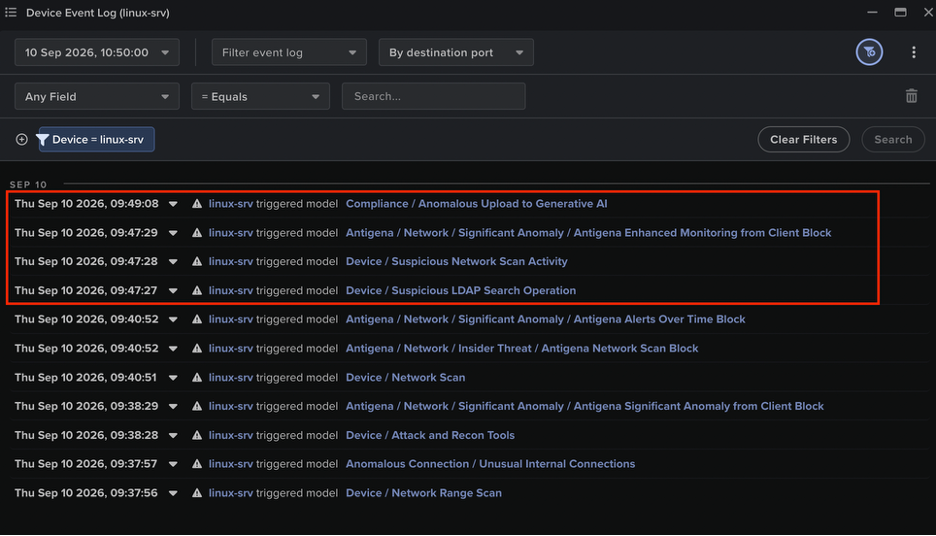
Antigena / Network / Significant Anomaly::Antigena Enhanced Monitoring from Client Block

Antigena / Network / Significant Anomaly::Antigena Controlled and Model Alert

Antigena / Network / External Threat::Antigena File then New Outbound Block

Antigena / Network / Significant Anomaly::Antigena Significant Anomaly from Client Block

Antigena / Network / Significant Anomaly::Antigena Alerts Over Time Block

Case 2

Anomalous Connection / Multiple Failed Connections to Rare Endpoint

Compromise / High Volume of Connections with Beacon Score

Compromise / Large Number of Suspicious Failed Connections

‍

Indicators of Compromise (IoCs)

‍

Case 1

                                                                                                                                                                                                                                                 
IoCTypeDescription + Confidence
onedrive[.]cvHostnameLikely C2 server
138.124.123[.]87IP AddressPossible C2 server
hXXp://onedrive[.]cv/Downloads/CURP/ReportFinal.%E2%80%AE%E1%BA%9D%D4%81%EF%BD%90.scrURIPossible payload
google.services[.]ugHostnameLikely C2 server
77.110.127[.]205IP AddressLikely C2 server
google.services[.]ug:57666Hostname + PortLikely C2 communication
google.services[.]ug:57888Hostname + PortLikely C2 communication
google.services[.]ug:56001Hostname + PortLikely C2 communication

‍

Case 2

IoC Type Description + Confidence
192.229.115[.]229 IP Address Likely C2 communication
Continue reading
About the author
Angel Arribas Lopez
Associate Principal Cyber Analyst
あなたのデータ × DarktraceのAI
唯一無二のDarktrace AIで、ネットワークセキュリティを次の次元へ