Darktrace cyber analysts are world-class experts in threat intelligence, threat hunting and incident response, and provide 24/7 SOC support to thousands of Darktrace customers around the globe. Inside the SOC is exclusively authored by these experts, providing analysis of cyber incidents and threat trends, based on real-world experience in the field.
Written by
Wayne Racey
Manager of IT Operations, City of St Catharines (Guest Contributor)
Share
08
Aug 2022
The City of St. Catharines is the largest city in Ontario, Canada’s Niagara Region. We strive to meet the needs of our over 140,000 residents. Cyber disruption could stop our municipality from functioning, so having a strong security stack is critical to our mission.
Globally, 44% of ransomware attacks target municipalities. In Canada, smaller cities have had to deal with increased attempts by threat actors to access information, without significant increases in security staff or budgets.
Data breaches incur an average cost totaling $6.35 million CAD because of ransomware payments, fines for leaked personally identifiable information, or recovery costs. That number does not quantify the additional reputational damage, PR setbacks, and other repercussions. Instead of resigning ourselves to accepting a greater cyber-risk, we turned to Darktrace to protect our network, email, and Microsoft 365 Suite.
How Self-Learning AI buys back time
I’m sure we as a municipality are grappling with the same issues that other cities of a similar size face from a budgetary standpoint. We do not have enough boots on the ground and our IT team is stretched thin. Investigating cyber security incidents takes a lot of time. We must find correlations between several old systems and manually go through security event logs to determine which incidents require follow-up. These factors greatly increased our response time.
When we first implemented Darktrace, we immediately saw that it does all the heavy lifting for us when it comes to the analysis of breach events. The Cyber AI Analyst shows a granular breakdown of the digital traffic coming into and out of the City, all on a single screen. This helps us separate the meaningful data from the noise.
I now start all my investigations with the Cyber AI Analyst. It sets me up with actionable insights that ensure I focus my time and energy in the most productive ways.
Darktrace also saves my team time and labor when it comes to responding to incidents. When it does detect attacks, it autonomously responds in seconds to contain them without interfering with any normal business operations.
We have been able to configure Darktrace’s settings to further streamline our workload. We’ve made several adjustments that reduce the number of helpdesk tickets my team receives, which ensures we’re spending our time on high-value work.
Darktrace not only makes up for the limited resources of our IT team, but also augments us. By simplifying our investigations and autonomously stopping attacks, Darktrace gives us more time to work on our other IT responsibilities without worrying about our security.
Darktrace/Network brings visibility and defense
Before Darktrace, we didn’t have visibility into the east-west traffic on our network. Once installed, it provided a view of traffic we had never anticipated, and we saw connections that we never even knew existed.
Darktrace/Network has insight into every laptop, server, phone, and user. The Self-Learning AI learns the “pattern of life” of our organization, so that it can recognize unusual activity that indicates a cyber-attack. In the case of a serious emerging attack, Darktrace RESPOND can take precise actions to stop it while otherwise allowing normal digital operations.
Darktrace/Network maps connections made within our network, whether between users and servers or between devices. It sorts users into groups that behave similarly, making it more obvious if one acts unusually. Darktrace/Email and Darktrace/Apps extend this coverage to our email and Microsoft 365 Suite, respectively. In this way, Darktrace allows us to see comprehensively into end-user traffic.
Darktrace can stop attempts to download malicious software, move malware laterally, upload private data, and everything in between. This means we are protected from attacks that are notoriously difficult to find, such as stealth attacks, machine speed ransomwares, insider threats, and zero-days.
Darktrace brings peace of mind
The Self-Learning AI has transformed my skepticism of AI into enthusiasm. I now see the possibilities with AI are limited only by one’s imagination, and the Darktrace team has harnessed it to create a great security tool.
Darktrace has proven to be the addition we needed to keep our digital landscape secure while contending with the limitations of budget and staffing during a time of increasingly frequent attacks targeting municipalities. My team’s support for Darktrace has been outstanding, and we have no regrets.
Darktrace gives us the assurance that no matter what rules we put in place regarding the flow of traffic on our network, it will always be present to reconfigure our defenses and safeguard our digital assets should an attack occur. It works 24/7, at machine speed, and augments our IT team. That defines peace of mind!
Darktrace cyber analysts are world-class experts in threat intelligence, threat hunting and incident response, and provide 24/7 SOC support to thousands of Darktrace customers around the globe. Inside the SOC is exclusively authored by these experts, providing analysis of cyber incidents and threat trends, based on real-world experience in the field.
Written by
Wayne Racey
Manager of IT Operations, City of St Catharines (Guest Contributor)
ダークトレースは、React2Shellの脆弱性をエクスプロイトするAI/LLM生成によるマルウェアを自社のCloudypots環境内で検知しました。この事例は、LLM(Large Language Model:大規模原語モデル)支援の開発によって低スキルの攻撃者であっても効果的なエクスプロイトツールを迅速に作成できることを示しています。このブログではその攻撃チェーンとAIで生成されたペイロードを分析し、容易に入手可能なAIサイバー脅威がもたらす、防御上の問題の深刻化について解説します。
AppleScript Abuse: Unpacking a macOS Phishing Campaign
This blog explores a macOS phishing campaign that leverages social engineering, AppleScript loaders, and attempted abuse of the macOS’ TCC feature to gain privileged access. It highlights a broader trend: attackers increasingly exploit user trust rather than system vulnerabilities, using staged payload delivery and persistence techniques to maintain long‑term access.
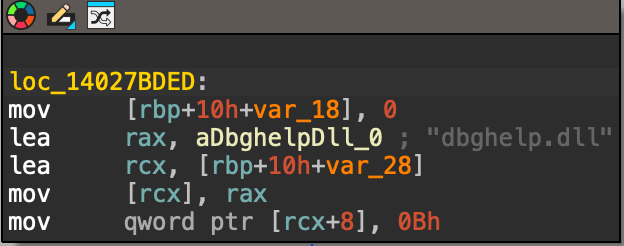
his blog details how to unpack malware like SnappyBee, a modular backdoor linked to Salt Typhoon, revealing its custom packing, DLL sideloading, dynamic API resolution, and multi‑stage in‑memory decryption. It provides analysts with a step‑by‑step guide to extract hidden payloads and understand advanced evasion techniques by sophisticated malware strains.
def execute_rce_command(base_url, command, timeout=120): """ ACTUAL EXPLOIT METHOD - Next.js React Server Component RCE DO NOT MODIFY THIS FUNCTION Returns: (success, output) """ try: # Disable SSL warnings urllib3.disable_warnings(urllib3.exceptions.InsecureRequestWarning)
AppleScript Abuse: Unpacking a macOS Phishing Campaign
Introduction
Darktrace security researchers have identified a campaign targeting macOS users through a multistage malware campaign that leverages social engineering and attempted abuse of the macOS Transparency, Consent and Control (TCC) privacy feature.
The malware establishes persistence via LaunchAgents and deploys a modular Node.js loader capable of executing binaries delivered from a remote command-and-control (C2) server.
Due to increased built-in security mechanisms in macOS such as System Integrity Protection (SIP) and Gatekeeper, threat actors increasingly rely on alternative techniques, including fake software and ClickFix attacks [1] [2]. As a result, macOS threats r[NJ1] ely more heavily on social engineering instead of vulnerability exploitation to deliver payloads, a trend Darktrace has observed across the threat landscape [3].
Technical analysis
The infection chain starts with a phishing email that prompts the user to download an AppleScript file named “Confirmation_Token_Vesting.docx.scpt”, which attemps to masquerade as a legitimate Microsoft document.
Figure 1: The AppleScript header prompting execution of the script.
Once the user opens the AppleScript file, they are presented with a prompt instructing them to run the script, supposedly due to “compatibility issues”. This prompt is necessary as AppleScript requires user interaction to execute the script, preventing it from running automatically. To further conceal its intent, the malicious part of the script is buried below many empty lines, assuming a user likely will not to the end of the file where the malicious code is placed.
Figure 2: Curl request to receive the next stage.
This part of the script builds a silent curl request to “sevrrhst[.]com”, sending the user’s macOS operating system, CPU type and language. This request retrieves another script, which is saved as a hidden file at in ~/.ex.scpt, executed, and then deleted.
The retrieved payload is another AppleScript designed to steal credentials and retrieve additional payloads. It begins by loading the AppKit framework, which enables the script to create a fake dialog box prompting the user to enter their system username and password [4].
Figure 3: Fake dialog prompt for system password.
The script then validates the username and password using the command "dscl /Search -authonly <username> <password>", all while displaying a fake progress bar to the user. If validation fails, the dialog window shakes suggesting an incorrect password and prompting the user to try again. The username and password are then encoded in Base64 and sent to: https://sevrrhst[.]com/css/controller.php?req=contact&ac=<user>&qd=<pass>.
Figure 4: Requirements gathered on trusted binary.
Within the getCSReq() function, the script chooses from trusted Mac applications: Finder, Terminal, ScriptEditor, osascript, and bash. Using the codesign command codesign -d --requirements, it extracts the designated code-signing requirement from the target application. If a valid requirement cannot be retrieved, that binary is skipped. Once a designated requirement is gathered, it is then compiled into a binary trust object using the Code Signing Requirement command (csreq). This trust object is then converted into hex so it can later be injected into the TCC SQLite database.[NB2]
To bypass integrity checks, the TCC directory is renamed to com.appled.tcc using Finder. TCC is a macOS privacy framework designed to restrict application access to sensitive data, requiring users to explicitly grant permissions before apps can access items such as files, contacts, and system resources [1].
Figure 5: TCC directory renamed to com.appled.TCC.
Figure 6: Example of how users interact with TCC.
After the database directory rename is attempted, the killall command is used on the tccd daemon to force macOS to release the lock on the database. The database is then injected with the forged access records, including the service, trusted binary path, auth_value, and the forged csreq binary. The directory is renamed back to com.apple.TCC, allowing the injected entries to be read and the permissions to be accepted. This enables persistence authorization for:
Full disk access
Screen recording
Accessibility
Camera
Apple Events
Input monitoring
The malware does not grant permissions to itself; instead, it forges TCC authorizations for trusted Apple-signed binaries (Terminal, osascript, Script Editor, and bash) and then executes malicious actions through these binaries to inherit their permissions.
Although the malware is attempting to manipulate TCC state via Finder, a trusted system component, Apple has introduced updates in recent macOS versions that move much of the authorization enforcement into the tccd daemon. These updates prevent unauthorized permission modifications through directory or database manipulation. As a result, the script may still succeed on some older operating systems, but it is likely to fail on newer installations, as tcc.db reloads now have more integrity checks and will fail on Mobile Device Management (MDM) [NB5] systems as their profiles override TCC.
Figure 7: Snippet of decoded Base64 response.
A request is made to the C2, which retrieves and executes a Base64-encoded script. This script retrieves additional payloads based on the system architecture and stores them inside a directory it creates named ~/.nodes. A series of requests are then made to sevrrhst[.]com for:
/controller.php?req=instd
/controller.php?req=tell
/controller.php?req=skip
These return a node archive, bundled Node.js binary, and a JavaScript payload. The JavaScript file, index.js, is a loader that profiles the system and sends the data to the C2. The script identified the system platform, whether macOS, Linux or Windows, and then gathers OS version, CPU details, memory usage, disk layout, network interfaces, and running process. This is sent to https://sevrrhst[.]com/inc/register.php?req=init as a JSON object. The victim system is then registered with the C2 and will receive a Base64-encoded response.
Figure 8: LaunchAgent patterns to be replaced with victim information.
The Base64-encoded response decodes to an additional Javacript that is used to set up persistence. The script creates a folder named com.apple.commonjs in ~/Library and copies the Node dependencies into this directory. From the C2, the files package.json and default.js are retrieved and placed into the com.apple.commonjs folder. A LaunchAgent .plist is also downloaded into the LaunchAgents directory to ensure the malware automatically starts. The .plist launches node and default.js on load, and uses output logging to log errors and outputs.
Default.js is Base64 encoded JavaScript that functions as a command loop, periodically sending logs to the C2, and checking for new payloads to execute. This gives threat actors ongoing and the ability to dynamically modify behavior without having to redeploy the malware. A further Base64-encoded JavaScript file is downloaded as addon.js.
Addon.js is used as the final payload loader, retrieving a Base64-encoded binary from https://sevrrhst[.]com/inc/register.php?req=next. The binary is decoded from Base64 and written to disk as “node_addon”, and executed silently in the background. At the time of analysis, the C2 did not return a binary, possibly because certain conditions were not met. However, this mechanism enables the delivery and execution of payloads. If the initial TCC abuse were successful, this payload could access protected resources such as Screen Capture and Camera without triggering a consent prompt, due to the previously established trust.
Conclusion
This campaign shows how a malicious threat actor can use an AppleScript loader to exploit user trust and manipulate TCC authorization mechanisms, achieving persistent access to a target network without exploiting vulnerabilities.
Although recent macOS versions include safeguards against this type of TCC abuse, users should keep their systems fully updated to ensure the most up to date protections. These findings also highlight the intentions of threat actors when developing malware, even when their implementation is imperfect.
Credit to Tara Gould (Malware Research Lead) Edited by Ryan Traill (Analyst Content Lead)